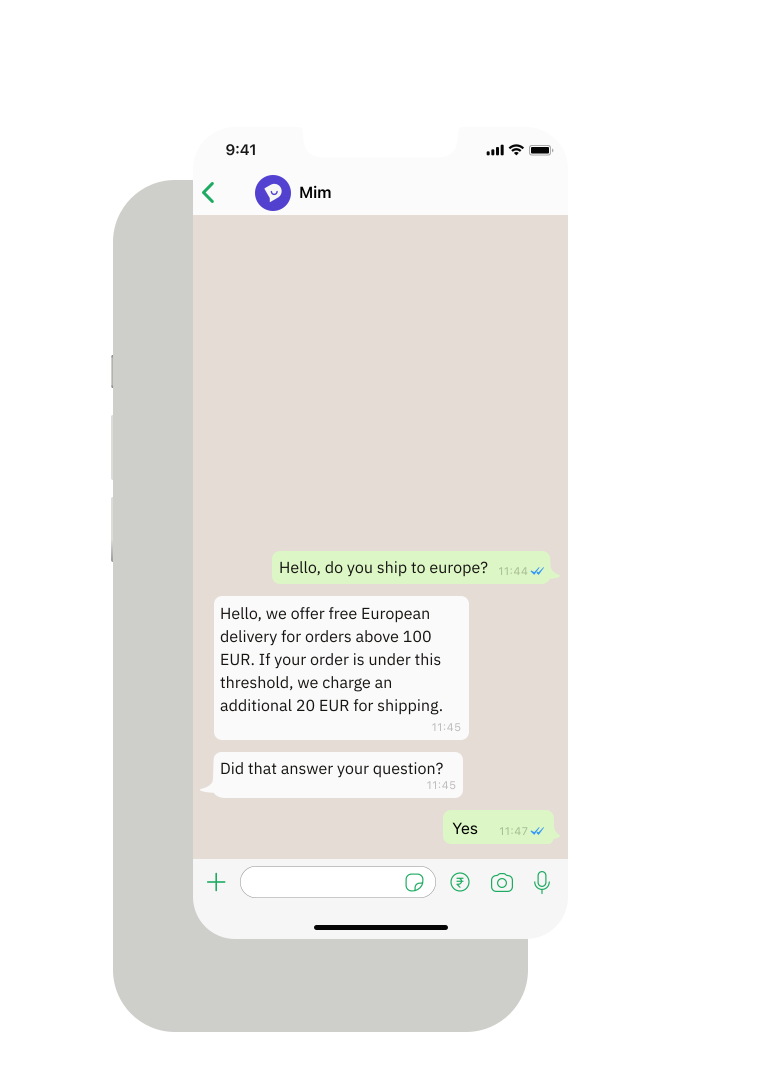
Meet customers on WhatsApp. Answer them, or message them first.

Rich messaging, full conversation history, and proactive messages sent from your own systems. Every reply lands in the same inbox as every other channel.

Trusted by 850+ brands across 42 countries

mejuri
rapha
organicbasics
Mytheresa
monica-vinader
Miinto
allsaints
outnorth
charles-tyrwhitt
clubl
adanola
freddie's flowers
fabfitfun
mammut
PastaEvangelists
oliver bonas

WhatsApp support, built into Dixa

Image Description

Rich messaging

Send images, documents, and attachments
Image Description

Quick replies

Pre-written replies for common questions
Image Description

Intelligent routing

Route conversations by language, region, or team
Image Description

Full conversation history

WhatsApp messages in the same timeline as every other channel
Image Description

Proactive WhatsApp

Start conversations with Meta-approved templates, on the official WhatsApp Business API
Image Description

24/7 availability

Set up auto-replies and contact forms for after hours

Customers message on WhatsApp. Your team responds from one inbox

No app-switching, no separate queue. WhatsApp conversations appear alongside chat, email, and phone, with full customer history attached.

  • Respond to WhatsApp from the same workspace as every channel
  • See orders, past conversations, and customer data in one view
  • Route by language, region, or team automatically

Image Description

Proactive WhatsApp. Start the conversation.

Send order confirmations, delivery updates, booking reminders and other approved messages from your own systems through Dixa's API. When the customer replies, the conversation lands in the same inbox, with the full history attached.

  • Send Meta-approved templates as text, or with an image, video or document
  • Utility and marketing templates, in 35 languages
  • Trigger messages from your ecommerce platform, booking system or other tools via API
  • Customer replies arrive in the same conversation timeline
Image Description

WhatsApp conversations live alongside everything else

No separate inbox. WhatsApp messages appear in the same workspace as chat, email, and phone–with full customer history attached. Your team sees one conversation, not scattered threads.

  • Unified inbox across all channels
  • Full customer context from every interaction
  • No switching between tools

Rich messaging that feels native

Send images, documents, and quick replies. WhatsApp in Dixa feels like WhatsApp–customers get the experience they expect, your team gets the tools they need.

  • Images, PDFs, and attachments
  • Quick replies for common questions
  • Native WhatsApp experience for customers
The more you integrate and the more you get better at prompting, the more Mim evolves from just an AI agent to really a helping colleague."

Roger Sandmeier
Head of Customer Service at tink
Read the case study
Most providers just focused on content-related AI. Mim gave us the ability to do tasks which normally colleagues do. That's what really made the difference."

Jessica Schulz
Customer Service Manager at Smartphonehoesjes
Read the case study
Dixa’s automation and incredible AI agent assistant have greatly enhanced our efficiency and productivity."
Erica Piccolomini
Chief Customer Officer at Stayforlong
Read the case study
Since partnering with Dixa, we've nearly doubled the workload achieved each day–resulting in extremely positive customer satisfaction and very happy teams."

Natasha Sims
Operations Director at Oliver Bonas
Read the case study
To enhance our CX, we knew that the business needed a unified platform to reduce silos across channels and teams. Dixa's one-screen wonder has been a game changer that keeps our workflows seamless."

Rhys Howells
Head of Customer Service at Rapha
Read the case study
59%
email containment
-90%
seasonal hires at peak
82%
live chat containment
3 pts
CSAT gap, AI vs human
-33%
contact per booking
-50%
email backlog
90%
CSAT
2x
productivity/hour
+14%
improvement in CSAT scores
+17%
increase in customer retention

Frequently Asked Questions

Can I use WhatsApp for customer service?

Yes. Dixa supports WhatsApp Business natively. Customers message your business on WhatsApp, and conversations appear in the same queue as email, phone, and chat. Agents respond from one screen without switching to a separate WhatsApp app.

How do I connect WhatsApp to Dixa?

Connect your WhatsApp Business account through Dixa's setup wizard. Once connected, WhatsApp messages flow into your unified queue. You can set up routing rules and auto-responses.

Why should I offer WhatsApp support?

WhatsApp has 2+ billion users globally and is the preferred communication channel in many markets. Customers already use it daily — meeting them there reduces friction. It's especially critical for international ecommerce, travel, and brands targeting younger demographics.

Is WhatsApp synchronous or asynchronous?

WhatsApp is asynchronous by nature — customers send messages and expect responses within hours, not seconds. This makes it less demanding than live chat while still feeling personal and immediate. Agents can handle multiple WhatsApp conversations simultaneously.

Can I send proactive WhatsApp messages?

Yes. With Proactive WhatsApp, your systems start conversations through Dixa's API using templates approved by Meta, such as order confirmations, shipping updates, booking reminders and marketing messages. WhatsApp requires an approved template for the first message. Once the customer replies, your team can answer freely within WhatsApp's 24-hour window, from the same inbox as every other channel.

How much does Proactive WhatsApp cost?

Proactive WhatsApp messages are billed per message, pay-as-you-go. The price depends on the message type (marketing or utility) and the recipient's country, grouped into four price tiers. Prices follow Meta's WhatsApp rates, which Meta reviews every quarter. You'll find the current rates on our overage price list at dixa.com/legal/overage-price-list.

Do I still need a separate WhatsApp tool to message customers first?

Not for transactional or triggered messages. Proactive WhatsApp lets you send approved templates from Dixa on your own WhatsApp number, so replies stay in your support inbox. Dixa doesn't include campaign tooling such as audience lists, broadcasts or campaign reporting.

Does WhatsApp support rich media?

Yes. Customers can send images, videos, documents, and voice messages via WhatsApp. Agents see all media in the conversation timeline. This is useful for returns (customer photos of damaged items), troubleshooting, and document collection.

What's the difference between WhatsApp personal and WhatsApp Business?

WhatsApp Business is designed for companies — verified business profiles, automated messages, catalog integration, and API access for platforms like Dixa. Personal WhatsApp doesn't support these features and isn't suitable for customer service at scale.

Can I route WhatsApp by language or region?

Yes. Dixa detects customer language and can route WhatsApp conversations to agents who speak that language. You can also route by phone number prefix (country code) to regional teams.

See what Dixa can do for you

Book a call with our team and discover how brands like yours handle more with less.

DixaDixa